Written by Joshua Reiher
Updated 19 Nov 2026
By Joshua Reiher
Some links on this page are affiliate links. If you sign up through them we may earn a commission, at no extra cost to you.

Google is making Tasks in Gemini, a mode where you hand the Gemini app a multi-step job and let it do the work, free in Australia. You no longer need a Google AI subscription to use it here. You can find out more about the app on our Gemini listing.
Google announced the change on 17 November 2026 (US time), saying Tasks is "rolling out free of charge for hundreds of millions of people" in the US, Japan, Korea, Canada, Australia and India.

Image: Google
What Tasks in Gemini is
Tasks is a separate mode in the Gemini app. Instead of chatting, you describe a job, and Gemini works through the steps for you, such as booking appointments, paying bills or ordering groceries. Google's help centre says the feature was tested in beta with subscribers under the name Spark, then "we renamed it Task to make it easier to understand."
Google says Tasks runs on Gemini 4 Hydrogen, its fast everyday model. Google also says Tasks can run on the newer Gemini 4 Neon model, which is available to Google AI Pro and Ultra subscribers.
What it can do
Examples Google gives in its announcement and help pages include:
- Email: summarising or archiving newsletters and unsubscribing from mailing lists, and turning forwarded emails into calendar entries.
- Price alerts: letting you know when flight or hotel prices fall within your budget.
- Research: researching a topic with cited sources and packaging the results as PDFs, documents, spreadsheets or presentations.
- Bookings: finding free times in Google Calendar and adding appointments. Gemini can also call several businesses at once to book, though Google's examples of calling are US-based.
- Shopping: comparing products, finding discount codes and checking out with Google Pay, with a spending limit you set first. Receipts and tracking go to Google Wallet.
- Bills: using Google Password Manager to open a utility account and analyse billing statements in Gmail.
Google says Gemini connects with more than 60 popular apps, and that it asks for your confirmation before critical steps, such as clicking "Buy". You can set routine actions to "Always allow", disconnect apps or delete your chat history. Google also says tasks run in isolated virtual machines on Google Cloud.
Not every feature will work in Australia yet. Some of Google's examples rely on US services such as Instacart, and texting Gemini or forwarding emails to it is starting in the US.
Who can use it and where
According to Google's help centre:
- Free: no Google AI subscription is needed in Australia, Canada, India, Japan, South Korea and the US.
- Elsewhere: in other countries where the Gemini app works, Tasks needs a Google AI Pro or Ultra subscription. It is not listed for the European Economic Area, Nigeria, Switzerland or the UK.
- Age and account: you must be 18 or older and use a personal Google Account. Work and school accounts are not supported yet, and your Gemini history must be turned on.
- Platforms: the Gemini mobile app, the Gemini app on Mac and the Gemini web app.
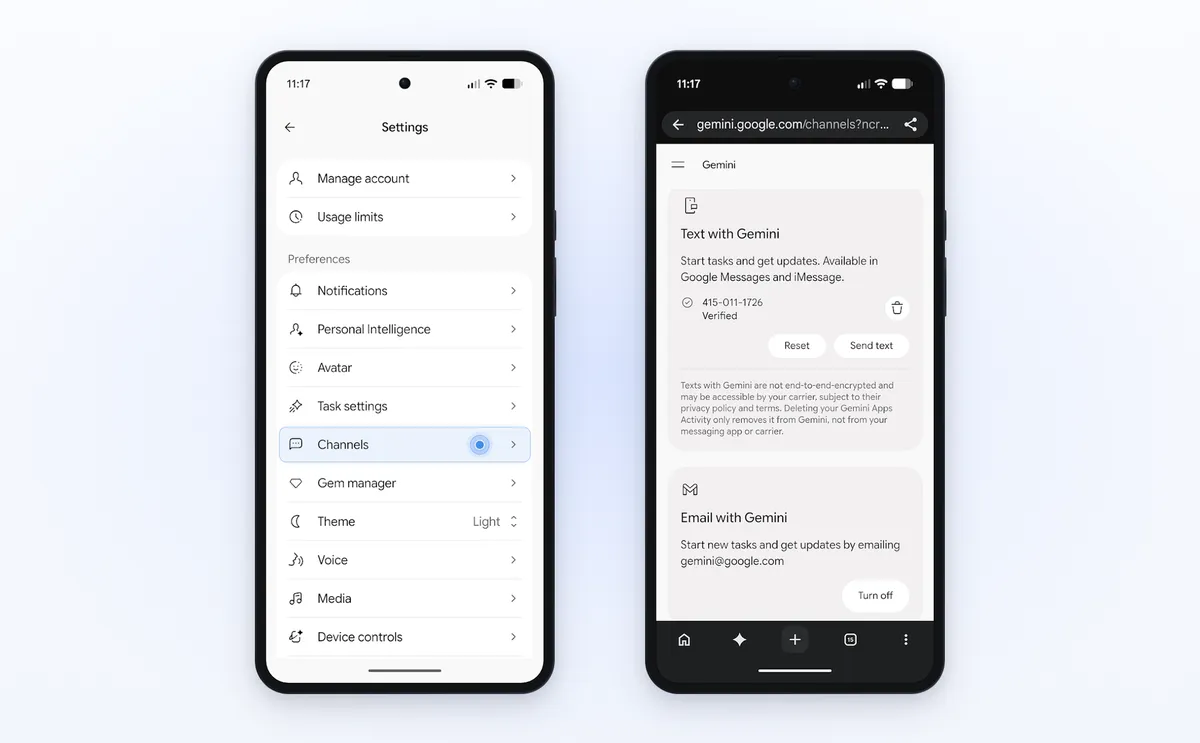
Image: Google
What it costs
In Australia, Tasks is free with a normal Google Account. Google says usage limits are based on computing power and "increase with higher Google AI subscriptions", so paying subscribers get more. Google has not published the exact limits for each plan. Everyone can have up to 15 tasks running at the same time.
How to start
- In the Gemini app, flip the home-screen toggle from Chat to Task. On the web, go to gemini.google.com and click Task below the text box.
- Describe what you want done and, if you like, when it should run.
- Submit it, then check on progress in the Tasks page.
What it means for you
Until now, agent features like this have mostly sat behind paid plans. Australians now get Google's version for free, which makes it an easy way to try handing off routine jobs such as cleaning up your inbox, tracking flight prices or pulling together research.
Be careful with anything involving money or accounts. Set a spending limit before shopping, check the confirmation steps, and think twice before choosing "Always allow" for actions you would normally want to review.
Tools worth a look
- Voilà (Freemium): best for professionals who read and write a lot online and want an AI assistant for email, summaries and rewrites inside the browser and apps they already use. Try Voilà
- AskYourPDF (Freemium): best for students, researchers and small teams who need to question long PDFs and documents or add a document-trained chatbot to a website. Try AskYourPDF
- QuillBot (Freemium): best for students and writers who reword drafts, check grammar and generate citations for essays and reports. Try QuillBot
How we checked
We checked every claim on 19 November 2026 against Google's own pages: the Tasks in Gemini announcement (https://blog.google/innovation-and-ai/products/gemini-app/tasks-in-gemini-free-new-features/), the Gemini Apps help page for Tasks (https://support.google.com/gemini/answer/17094507) and the Gemini 4 Neon announcement (https://blog.google/innovation-and-ai/models-and-research/gemini-models/introducing-gemini-4-neon/). Images are from Google's announcement.