
Freemium
Added on Nov 25,2026
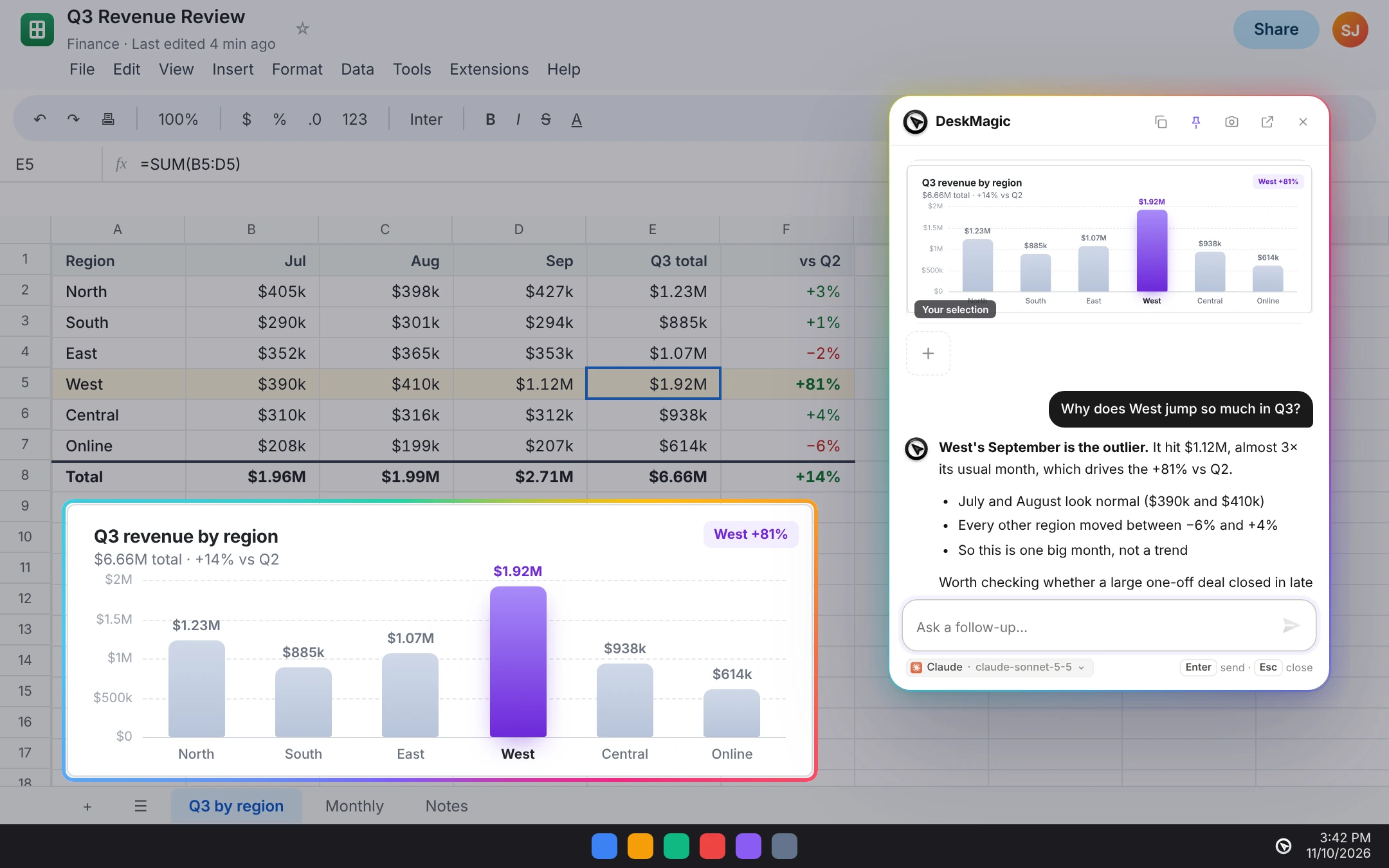
DeskMagic is a small Windows app that lets users ask AI about anything on their screen. Shaking the mouse cursor summons it, the user drags a box around text, charts, code, UI or images, and the answer appears in a floating card right next to the selection.
It works with the user's own API key from Anthropic (Claude), OpenAI (ChatGPT) or Google (Gemini), so users pay their AI provider directly for what they use. There is no account, no sign-up and no DeskMagic server in the middle, as screen captures go straight from the PC to the chosen provider.
Quick actions include explaining something simply, summarising, translating, helping with a reply and finding mistakes, and users can type any follow-up question. Highlighted text can be sent without a screenshot, and copied clipboard text can be added to a question in one tap.
Common uses include explaining spreadsheets and charts, finding the cause of an error from a stack trace, drafting replies to emails and messages, and translating text without leaving the page.
Other features include a custom keyboard shortcut or mouse button to summon it, a whole-screen shortcut, local history that can be searched and continued, model selection, pausing in full-screen games and automatic updates. API keys are encrypted with Windows' own protection and there is no tracking or analytics.
Pricing: the free version offers unlimited questions with one AI provider, six built-in quick actions and the latest 25 answers in history. Pro is a one-off lifetime licence (normally USD 48) for up to three devices that adds all three AI providers, custom quick actions, multiple selections, voice input, read-aloud answers, memory and unlimited history, with a 14-day money-back guarantee.
It is suited to Windows 10 and 11 users who want quick AI explanations, translations and replies without copying content into a separate chat window.
Popular alternatives to DeskMagic include Voilà, Hiding AI and Loopa. Compare their pricing and what each is best for below.
| Tool | Pricing | Best for |
|---|---|---|
| Voilà | Freemium | Professionals who read and write a lot online and want an AI assistant for email, summaries and rewrites inside the brow... |
| Hiding AI | Free Trial | Job seekers and remote workers who want discreet AI notes, transcripts and answers on their desktop during video calls. |
| Loopa | Freemium | Busy professionals and founders who want to hand everyday tasks to AI agents from one place. |
| SaveDay | Freemium | Researchers, students and heavy readers who save lots of articles and videos and want to find them later by describing w... |
| Flowith | Freemium | Creators and knowledge workers who prefer a visual canvas over a linear chat for working with several AI models. |
Own DeskMagic? Add this badge to your website.

Leave a review for the community
No Review Found











Already a member? The same buttons sign you in.
We'll email you a 6-digit code. No password needed. By continuing you agree to our Privacy Policy.
We sent a 6-digit code to . It expires in 10 minutes.
No email? Check your spam folder, or ·

