Written by Joshua Reiher
Updated 25 Nov 2026
By Joshua Reiher
Some links on this page are affiliate links. If you sign up through them we may earn a commission, at no extra cost to you.

Midjourney has released Niji 8, the newest version of its anime and illustration image model. It is now live for Midjourney and niji・journey users, and it brings faster generation, better prompt following, a new way to keep characters consistent, and a dedicated editing model.
The niji・journey blog post announcing it is dated 24 November 2026, and Midjourney posted it to its official updates page soon after. Here is what changed and what it means if you make anime-style art.
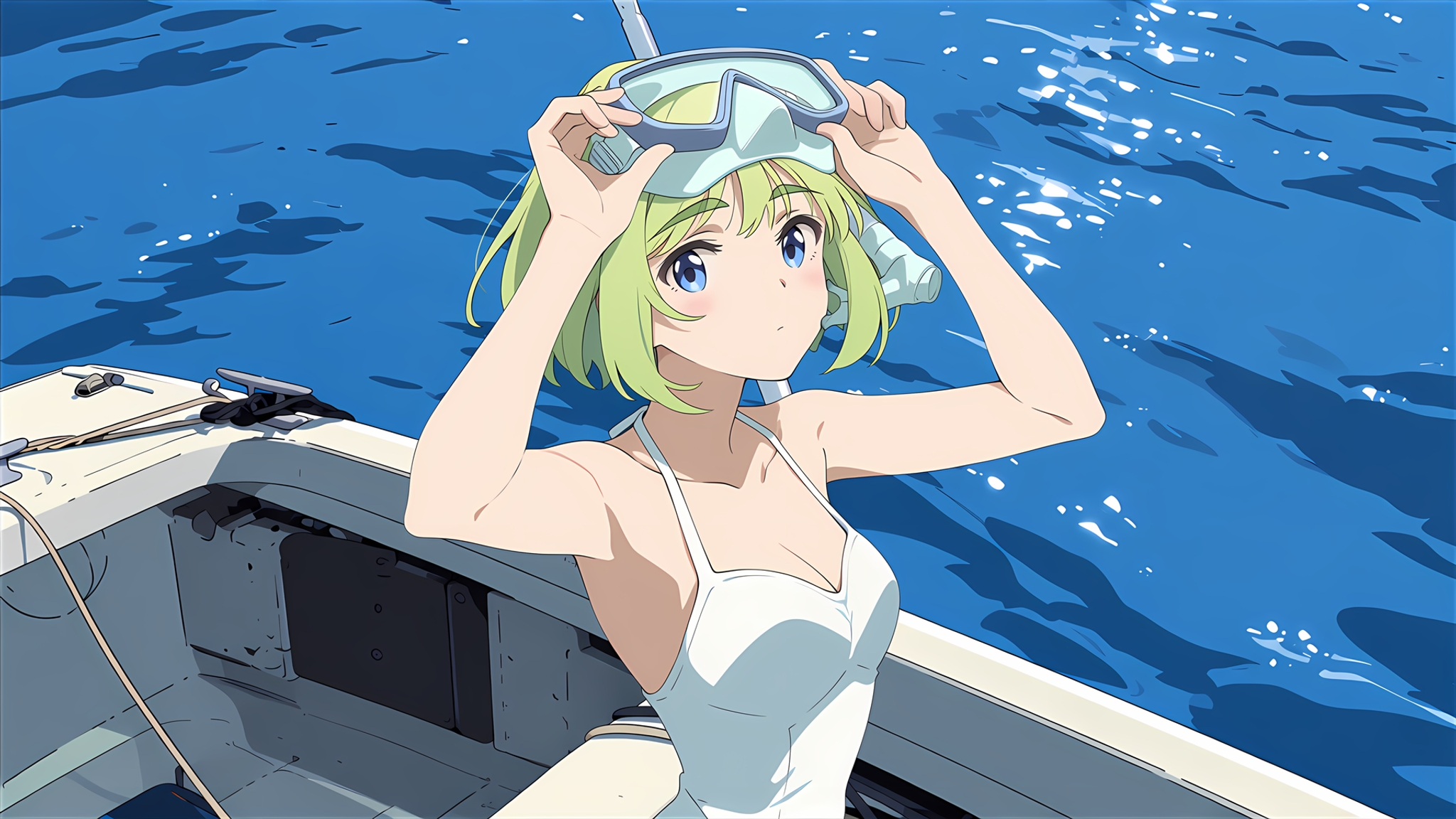
Image: Midjourney / niji・journey
What launched
Niji is the anime-focused model family made for Midjourney and the niji・journey app. Midjourney describes Niji 8 as its latest anime model, with "precision prompting, consistent characters, best in class coherence, a dedicated editing model and more".
The niji・journey blog calls it the fastest and most coherent Niji model yet, and suggests trying it with the HD option.
The main changes listed in the official post are:
- Editing replaces character reference. The edit feature takes over from the old cref (character reference) feature from Niji 6. You can give it a character sheet and a background and ask it to combine them, for example "take the character from image 1 and put it into image 2".
- Quick edits and touch-ups. Single-image edits and small fixes also work. A Quick edit button sits at the bottom right of a finished image.
- Better prompt following. The post says Niji 8 follows prompts and places objects more accurately than Niji 7, and shows comic-style pages with several panels.
- More variety. The stated aim is "Niji 7 aesthetics combined with Niji 6 variety". Short prompts now give more varied results, while longer, more detailed prompts give more predictable ones.
- Style tools. Style references (sref) and moodboards have also been improved.
Who can use it and where
Niji 8 is available in two places, according to the official post:
- Discord: add --niji 8 to the end of your prompt.
- Web: choose "Niji 8" from the Version dropdown in the settings to the right of the prompt bar.
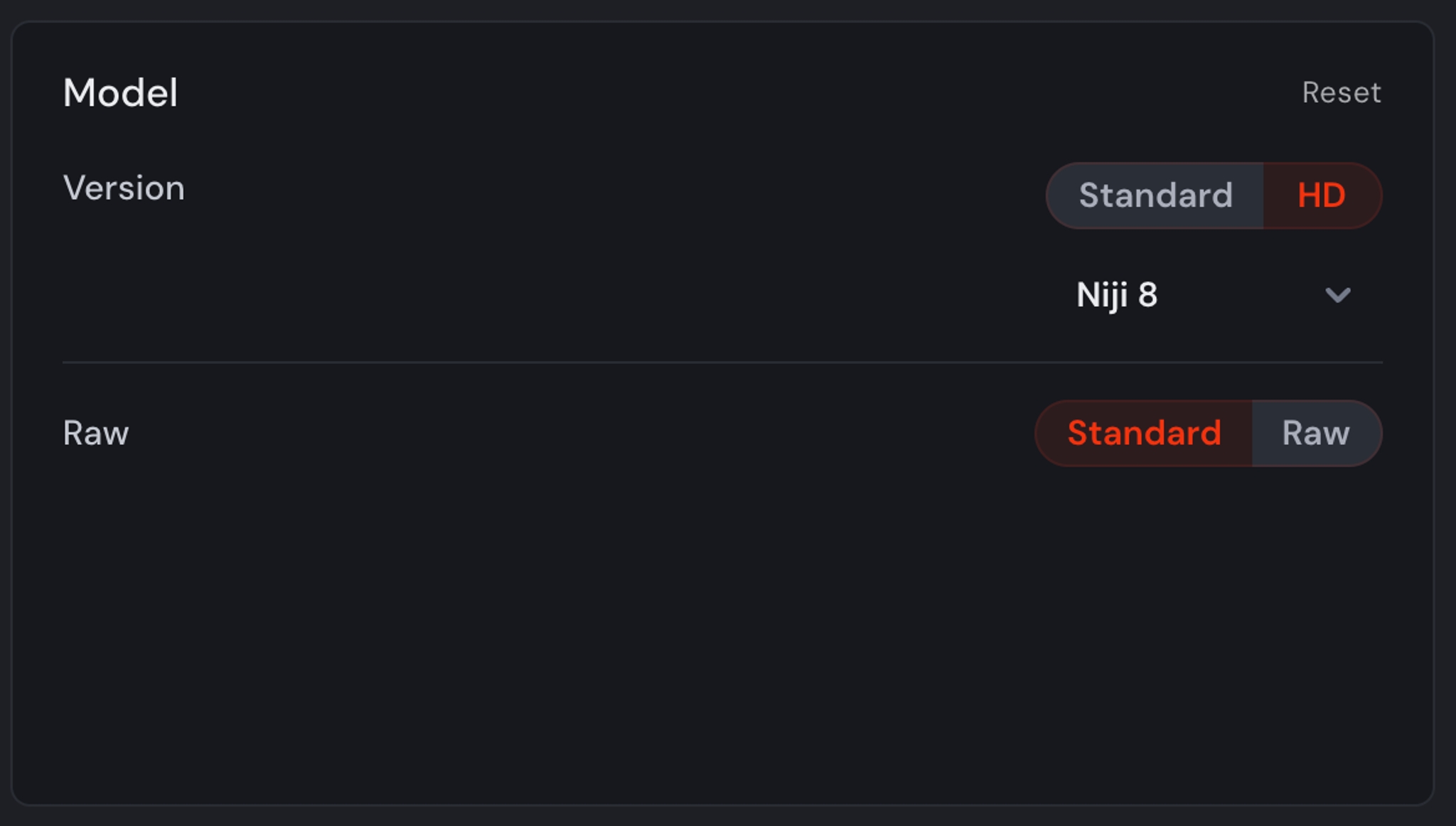
Image: Midjourney / niji・journey
Midjourney's announcement and the niji・journey post don't say whether any plans are excluded or list any regional limits.
What it costs
Neither official announcement mentions pricing, plan changes or different GPU time costs for Niji 8. We couldn't confirm any price change, so we haven't listed one. Check your Midjourney or niji・journey plan page for your current limits.
What it means for ordinary users
The biggest practical change is how you keep a character consistent. Niji 7 did not support character reference at all. With Niji 8, you can upload a character sheet and drop that character into a new scene with the edit model. For people making comics, visual novels or a series of social posts with the same character, this is the headline feature.

Image: Midjourney / niji・journey
There is a trade-off to know about. Under Niji 7, the same short prompt tended to give you the same character every time. Niji 8 deliberately gives more variety, so repeating a short prompt won't keep a character stable. Use the edit feature or a longer, more specific prompt for that instead.
The post also warns that input quality matters for edits: blurry or pixelated reference images give weaker results.
If you mostly make general images rather than anime art, the main Midjourney models are still the place to start. Niji 8 is aimed at anime and illustration styles.
Tools worth a look
- GenYOU (Freemium): best for: Social media users and creators who want styled AI portraits and profile photos of themselves from a phone. Try GenYOU
- IMGCreator.AI (ZMO.AI) (Freemium): best for: Illustrators, bloggers and print-on-demand sellers who want quick anime-style or concept images they can use commercially. Try IMGCreator.AI (ZMO.AI)
- Leonardo.ai (Freemium): best for: Game artists, marketers and designers who need consistent concept art, product visuals and short video assets quickly. Try Leonardo.ai
How we checked
We checked every detail on 25 November 2026 against official sources only: the niji・journey announcement Welcome to Niji 8!, Midjourney's official update post Niji 8!, and, for the Niji 7 comparison, the earlier niji・journey post Niji 7. Midjourney's updates page was read via Josh's Chrome. Images are from the official niji・journey Niji 8 post.