
Free
Added on May 04,2024
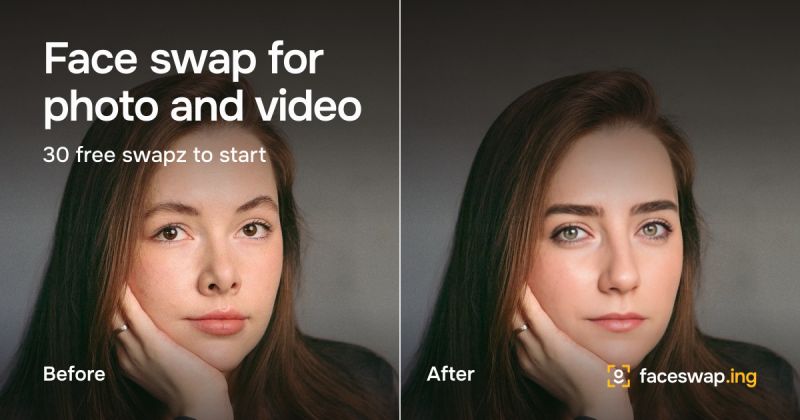
FaceSwapper is an online tool that enables users to seamlessly swap faces in photos and videos. It is free and unlimited, allowing users to upload a photo or drag and drop a .jpg or .png file.
Use Cases:
Photo Editing: FaceSwapper can be used for fun and creative photo editing, allowing users to swap faces in photos with friends or celebrities.
Video Editing: The tool can also be used for video editing, enabling users to swap faces in videos for comedic or artistic effect.
Entertainment: FaceSwapper provides entertainment value, allowing users to create funny and engaging content.
Education: Educators can use FaceSwapper to create engaging visual aids for their lessons, such as swapping faces in historical photos.
Research: Researchers can use FaceSwapper for academic purposes, such as studying facial recognition algorithms or creating facial composites.
Personal Use: Users can use FaceSwapper for personal use, such as creating unique profile pictures for social media.
By the PowerfulAI.tools Editorial Team · Updated 20 October 2026 · Researched with AI assistance and checked against the official FaceSwapper website · How we review tools
FaceSwapper is listed as free to use. Check FaceSwapper's website for any usage limits or paid upgrades.
Pricing checked against the official FaceSwapper website in October 2026. Prices can change, so confirm before you buy.
People making memes, mock-ups or creative edits who want to swap faces in photos, GIFs or short videos from a browser without installing software.
The site says uploads are visible only to you, are not kept on its servers and are deleted after the result is generated and downloaded. That is the company's own claim.
The homepage says there is no sign-up or credit system and that use is unlimited, though a login link is also shown in the navigation.
Only use faces you have permission to use. Swapping a real person's face without their consent can breach privacy and impersonation laws where you live.
Popular alternatives to FaceSwapper include Magic Studio, EzMaker AI Background Remover and Old Photo AI. Compare their pricing and what each is best for below.
| Tool | Pricing | Best for |
|---|---|---|
| Magic Studio | Freemium | Professionals and small teams who need quick AI headshots for LinkedIn or company websites, plus simple photo clean-up l... |
| EzMaker AI Background Remover | Freemium | Online sellers and social media creators who need quick transparent cutouts of product photos and portraits. |
| Old Photo AI | Freemium | Families and genealogy hobbyists who want to bring old portrait photos to life as short animated clips. |
| Retouch4me | Freemium | Portrait, wedding and studio photographers who retouch large batches of skin and portrait shots and want it done inside... |
| Face Swap by Remaker | Free | People making light-hearted or creative photo edits, such as swapping faces in group shots to fix a blinking eye. |
Own FaceSwapper? Add this badge to your website.

Leave a review for the community
No Review Found
















Already a member? The same buttons sign you in.
We'll email you a 6-digit code. No password needed. By continuing you agree to our Privacy Policy.
We sent a 6-digit code to . It expires in 10 minutes.
No email? Check your spam folder, or ·

