
Freemium
Added on Nov 18,2023

PicWish is an intuitive AI-powered image editing platform designed to streamline and simplify photo editing tasks. With user-friendly tools and advanced AI algorithms, PicWish empowers users to effortlessly enhance and edit their photos.
Use Cases:
Basic Editing: Resize, crop, or rotate images to suit various platforms or printing needs.
Color Adjustments: Fine-tune colors, adjust saturation, brightness, and contrast for visually appealing images.
AI Filters: Apply artistic filters, effects, or presets for creative enhancements.
Retouching: Remove blemishes, smoothen skin, or correct imperfections for professional-looking portraits.
Background Removal: Effortlessly eliminate backgrounds or replace them with ease.
By the PowerfulAI.tools Editorial Team · Updated 25 October 2026 · Researched with AI assistance and checked against the official PicWish website · How we review tools
Free plan costs $0 with limited features; Pro includes 350 credits a month and Max 2,000 credits a month, with weekly, monthly or annual billing. Pay-as-you-go credits are also available and do not expire. Check the official pricing page for current prices.
Pricing checked against the official PicWish website in October 2026. Prices can change, so confirm before you buy.
Online sellers and everyday users who need fast background removal, photo enhancement and product images without manual editing.
PNG, JPG, JPEG, JFIF and WEBP uploads are supported, with specific limits depending on the feature.
PicWish states it is ISO/IEC 27001 and ISO/IEC 27701 certified and GDPR compliant, with encryption during processing.
No. Recurring credits refresh weekly or monthly and unused ones do not carry over to the next cycle.
Popular alternatives to PicWish include Magic Studio, EzMaker AI Background Remover and Old Photo AI. Compare their pricing and what each is best for below.
| Tool | Pricing | Best for |
|---|---|---|
| Magic Studio | Freemium | Professionals and small teams who need quick AI headshots for LinkedIn or company websites, plus simple photo clean-up l... |
| EzMaker AI Background Remover | Freemium | Online sellers and social media creators who need quick transparent cutouts of product photos and portraits. |
| Old Photo AI | Freemium | Families and genealogy hobbyists who want to bring old portrait photos to life as short animated clips. |
| Retouch4me | Freemium | Portrait, wedding and studio photographers who retouch large batches of skin and portrait shots and want it done inside... |
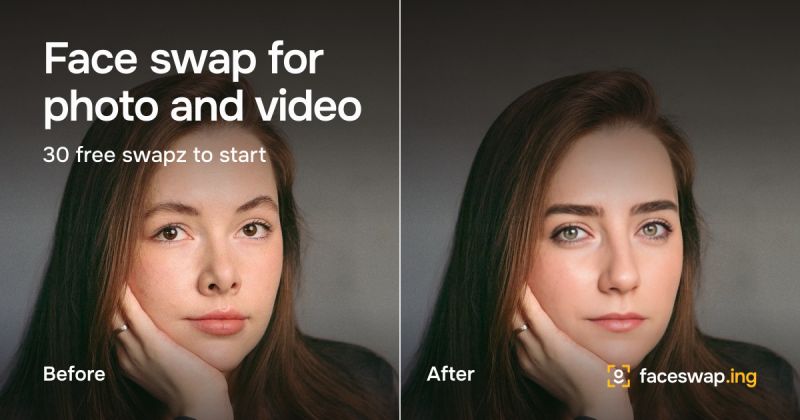
| Face Swap by Remaker | Free | People making light-hearted or creative photo edits, such as swapping faces in group shots to fix a blinking eye. |
Own PicWish? Add this badge to your website.

Leave a review for the community
No Review Found

















Already a member? The same buttons sign you in.
We'll email you a 6-digit code. No password needed. By continuing you agree to our Privacy Policy.
We sent a 6-digit code to . It expires in 10 minutes.
No email? Check your spam folder, or ·

