
Freemium
Added on Dec 18,2025
Pixelfox AI is a powerful, beginner-friendly editing tool that uses advanced inpainting technology to remove unwanted people, objects, text, or distractions from photos in seconds.
Designed for effortless, high-quality cleanup, it preserves background details while delivering polished, natural-looking results.
Beyond object removal, it includes image blending, watermark cleanup, upscaling, retouching, and style transfer—making it a versatile all-in-one editor for creators, sellers, and anyone who wants professionally refined visuals without learning complex software.
Use Cases:
Object & Person Removal: Erase unwanted elements to clean up travel photos, portraits, or social posts.
E-commerce Cleanup: Remove distractions and enhance product photos for listings and ads.
Watermark & Text Erasure: Clear unwanted logos, timestamps, or text overlays quickly.
Photo Retouching: Fix imperfections, smooth backgrounds, and enhance overall image quality.
Image Upscaling: Improve resolution for print, web use, or high-quality presentations.
Aesthetic Enhancements: Apply style transfers and creative edits for a more polished look.
Social Media Content: Create professional, minimal visuals for Instagram, TikTok, or brand feeds.
Creative Blending: Merge images or replace backgrounds for marketing, art, or design projects.
By the PowerfulAI.tools Editorial Team · Updated 25 October 2026 · Researched with AI assistance and checked against the official Pixelfox AI website · How we review tools
The Free plan gives 10 bonus credits on registration with unlimited previews; a Pro subscription and a pay-as-you-go credit option are offered, with credits shared across web, iOS, Android and API. Check the official pricing page for current prices.
Pricing checked against the official Pixelfox AI website in October 2026. Prices can change, so confirm before you buy.
Online sellers and casual creators who need quick browser-based photo cleanup, product images and short AI video edits in one place.
Credits are shared across web, iOS, Android and API, and the site also says the editor works in a phone browser without installing anything.
On the Pro plan, unused monthly credits carry over to the next billing cycle while you stay subscribed.
Popular alternatives to Pixelfox AI include Magic Studio, EzMaker AI Background Remover and Old Photo AI. Compare their pricing and what each is best for below.
| Tool | Pricing | Best for |
|---|---|---|
| Magic Studio | Freemium | Professionals and small teams who need quick AI headshots for LinkedIn or company websites, plus simple photo clean-up l... |
| EzMaker AI Background Remover | Freemium | Online sellers and social media creators who need quick transparent cutouts of product photos and portraits. |
| Old Photo AI | Freemium | Families and genealogy hobbyists who want to bring old portrait photos to life as short animated clips. |
| Retouch4me | Freemium | Portrait, wedding and studio photographers who retouch large batches of skin and portrait shots and want it done inside... |
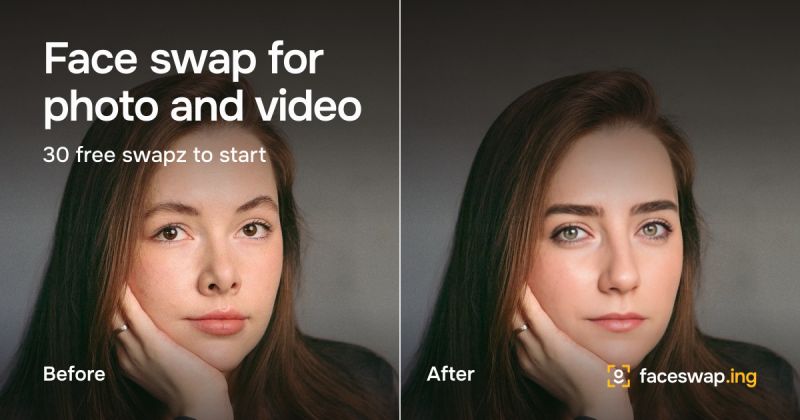
| Face Swap by Remaker | Free | People making light-hearted or creative photo edits, such as swapping faces in group shots to fix a blinking eye. |
Own Pixelfox AI? Add this badge to your website.

Leave a review for the community
No Review Found
















Already a member? The same buttons sign you in.
We'll email you a 6-digit code. No password needed. By continuing you agree to our Privacy Policy.
We sent a 6-digit code to . It expires in 10 minutes.
No email? Check your spam folder, or ·

