Paid
Added on Oct 22,2026
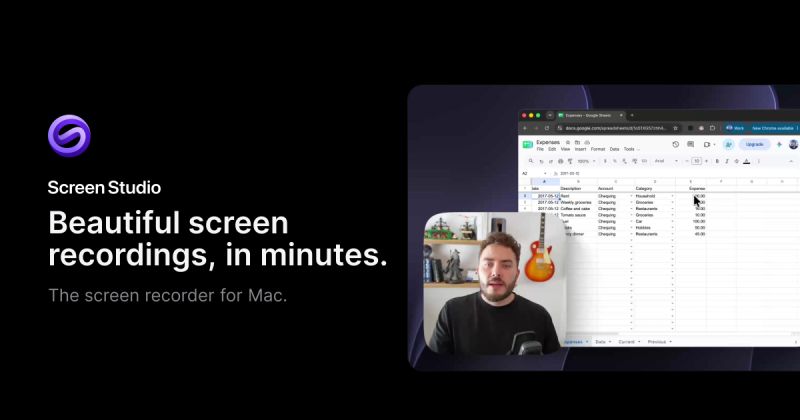
Screen Studio is a screen recorder and video editor for macOS that produces polished product demos, tutorials, courses and social posts. It handles zooms, cursor motion, sound and framing automatically after you record.
Automatic zoom looks at what you did while recording, such as where you clicked, and zooms in on the important moments. Its own real-time upscaler, trained on macOS screenshots and SwiftUI apps, runs on your Mac and gives up to 6.5x upscale. Cursor paths are smoothed, motion blur is added and click effects can be applied after recording.
You can combine fullscreen camera, split screen, camera overlay, screen only and camera cutout layouts in one recording. Background removal, face tracking and hiding the camera during silence all run on-device.
Editing works from the transcript, so deleting a sentence cuts it, and filler words and long pauses can be removed in one pass. Captions are generated locally with Whisper or Apple speech recognition, noise reduction and a podcast voice mode clean up audio, and AI voiceover turns a typed script into narration.
One recording can be reframed to 16:9, 1:1 or 9:16, with a reel mode preview for Instagram and TikTok. It also records iPhone and iPad over USB with device frames, masks sensitive data, and exports MP4 up to 4K at 60 fps or GIFs. Shareable links support comments and view counts.
Pricing: all features are included in every plan. It costs $29 per month billed monthly or $9 per month billed yearly. Students and educators get 40 percent off.
It requires macOS 13.1 or later and is built for Apple silicon. There is no Windows version. It is suited to SaaS founders, course creators, app developers, support teams and marketers who record their screen.
By the PowerfulAI.tools Editorial Team · Updated 25 October 2026 · Researched with AI assistance and checked against the official Screen Studio website · How we review tools
Screen Studio is a paid tool. Check Screen Studio's website for current plans and prices.
Mac users who make product demos, tutorials, courses and social clips and want polished screen recordings without manual keyframing.
No. It is a macOS app built on Apple's ScreenCaptureKit, and the download is offered for Mac only.
The take is saved to disk every two seconds while recording, so it can be recovered even after a power loss.
Yes. You can send a shareable link that anyone can watch straight away, or export a high-quality or social-optimised video file instead.
Similar tools to compare with Screen Studio:
| Tool | Pricing | Best for |
|---|---|---|
| Descript | Freemium | Podcasters, YouTubers and marketing teams who record, edit, caption and repurpose video and audio through a transcript-b... |
| Quso.ai | Freemium | Podcasters, YouTubers and marketers who repurpose long recordings into a steady stream of short social clips. |
| Gling | Freemium | YouTubers and talking-head creators who want a rough cut done automatically before finishing in their usual editor. |
| ClipMaker | Freemium | YouTubers who want to repurpose long videos as short clips for TikTok and Instagram on a schedule. |
| Minvo | Free | Podcasters and video creators who repurpose long recordings into short clips, quote images and written posts. |
Own Screen Studio? Add this badge to your website.

Leave a review for the community
No Review Found