Freemium
Added on Nov 06,2026
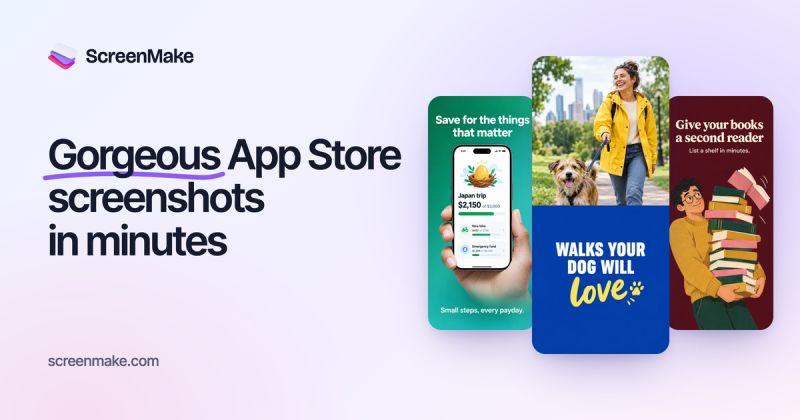
ScreenMake is an AI-powered design studio for creating App Store and Google Play screenshots. You start from captures of your own app screens, then design the set, translate it for every market and publish it from one place.
Quick Draft turns your app captures into a designed first set. From there, AI Mode makes changes you describe in plain words, such as a bold promo screen with a set colour, a large headline and the phone in a hand, and designs the screen on your canvas in about a minute.
Every layer stays editable, so you can take full manual control of each pixel if you want to.
Key features include translation of screenshots into 39 languages, export in every App Store and Google Play size including iPad, AI image editing in your own words, thousands of assets and device mockups, and AI art for each release.
It integrates with App Store Connect, so you can publish your screenshots to the App Store in one click.
Pricing: the Free plan includes the full Studio, every manual tool, 20 AI credits to try AI Mode and a first draft of your set, with a watermark on exports. Pro is US 19 dollars a month (or 17 dollars a month billed yearly) with 160 AI credits a month, and Studio is US 69 dollars a month (or 59 dollars a month billed yearly) with 600 AI credits a month for teams shipping many apps. Paid plans remove the watermark, export every size and publish for you.
It is suited to indie app developers, mobile app teams and studios that need store screenshots without hiring a designer.
By the PowerfulAI.tools Editorial Team · Updated 6 November 2026 · Researched with AI assistance and checked against the official ScreenMake website · How we review tools
Designing is free with 20 AI credits. Pro costs 19 USD a month or 204 USD a year with 160 AI credits monthly; Studio costs 69 USD a month or 708 USD a year with 600 AI credits monthly.
Pricing checked against the official ScreenMake website in November 2026. Prices can change, so confirm before you buy.
Indie developers and app studios who need localised App Store and Google Play screenshots designed and uploaded without hiring a designer.
Publishing uses a key from your own developer account with the App Manager role, which can update listings but cannot touch finances or your team. The key is stored encrypted and can be revoked at any time.
Yes. A finished iPhone set can be carried over to iPad without redesigning it.
Unused plan credits carry over for one more month. Separate credit packs of 50, 150 or 400 never expire.
Popular alternatives to ScreenMake include Kittl, Uizard and Microsoft Designer. Compare their pricing and what each is best for below.
| Tool | Pricing | Best for |
|---|---|---|
| Kittl | Freemium | Print-on-demand sellers, merch designers and small brands who generate artwork with AI and finish it in the same design... |
| Uizard | Freemium | Founders, product teams and non-designers prototyping digital products. |
| Microsoft Designer | Freemium | Individuals and small businesses who want quick social graphics, invitations and cards without learning a full design su... |
| PatternedAI | Free Trial | Textile, fashion and surface pattern designers who need print-ready repeating patterns and colourways without drawing ev... |
| AutoDraw | Free | Teachers, students and non-designers who need a quick, clean drawing or icon without any artistic skill. |
Own ScreenMake? Add this badge to your website.

Leave a review for the community
No Review Found