
Freemium
Added on Nov 27,2026
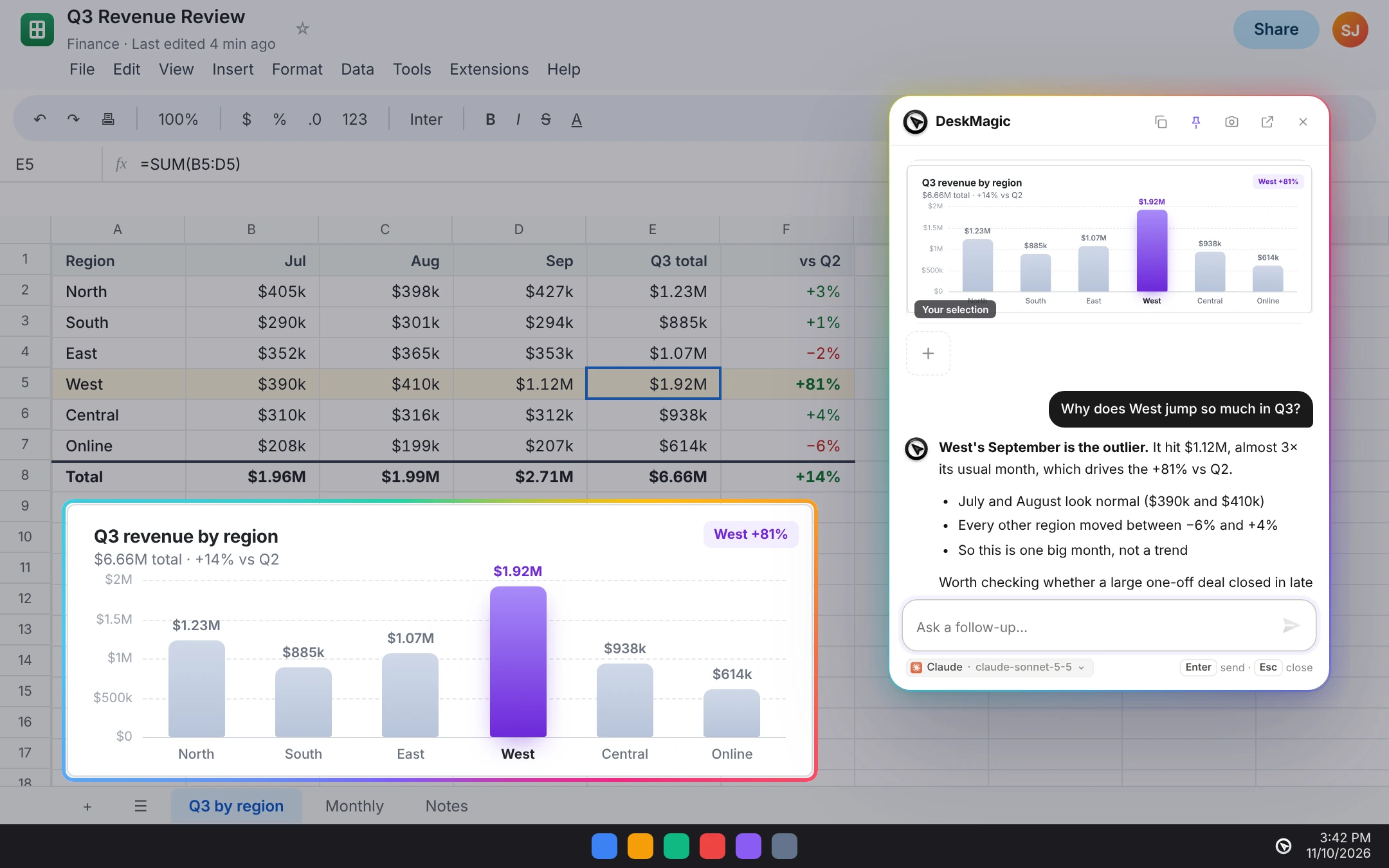
Doodle is an AI desktop companion for Windows: a small stick figure that lives at the edge of your screen and answers questions when you press Ctrl + Shift + Space.
You can talk to it, ask it anything, or dictate into any app. It looks at your screen only when you ask, and never reads apps you have put on its excluded list.
Doodle keeps notes so later conversations pick up where earlier ones left off. Memory is off until you switch it on, and is stored as plain text notes in a Documents folder on your PC, with notes about you, people and projects that you can open, edit or delete in any editor.
When it cannot do something, Doodle can build the missing piece as a new skill or plugin, such as a better voice or a link to one of your tools. It shows what each one can reach and waits for your OK before installing it.
Key features include screen reading on request, dictation, local memory notes, an activity log, and approval prompts before it sends data, spends money, changes a file or installs something.
AI replies come through Doodle Cloud, your own API key, or a local model running on your PC through Ollama.
Pricing: the Free plan includes 800 AI credits a month. Pro is 12 pounds a month with 10,000 credits, and Ultimate is 55 pounds a month with 50,000 credits. Every plan works with your own API key or a local model.
It is suited to Windows 11 users who want a private AI assistant on the desktop that remembers context and asks before acting.
Popular alternatives to Doodle include Voilà, Hiding AI and Loopa. Compare their pricing and what each is best for below.
| Tool | Pricing | Best for |
|---|---|---|
| Voilà | Freemium | Professionals who read and write a lot online and want an AI assistant for email, summaries and rewrites inside the brow... |
| Hiding AI | Free Trial | Job seekers and remote workers who want discreet AI notes, transcripts and answers on their desktop during video calls. |
| Loopa | Freemium | Busy professionals and founders who want to hand everyday tasks to AI agents from one place. |
| SaveDay | Freemium | Researchers, students and heavy readers who save lots of articles and videos and want to find them later by describing w... |
| Flowith | Freemium | Creators and knowledge workers who prefer a visual canvas over a linear chat for working with several AI models. |
Own Doodle? Add this badge to your website.

Leave a review for the community
No Review Found









Already a member? The same buttons sign you in.
We'll email you a 6-digit code. No password needed. By continuing you agree to our Privacy Policy.
We sent a 6-digit code to . It expires in 10 minutes.
No email? Check your spam folder, or ·

