Freemium
Added on Nov 11,2026
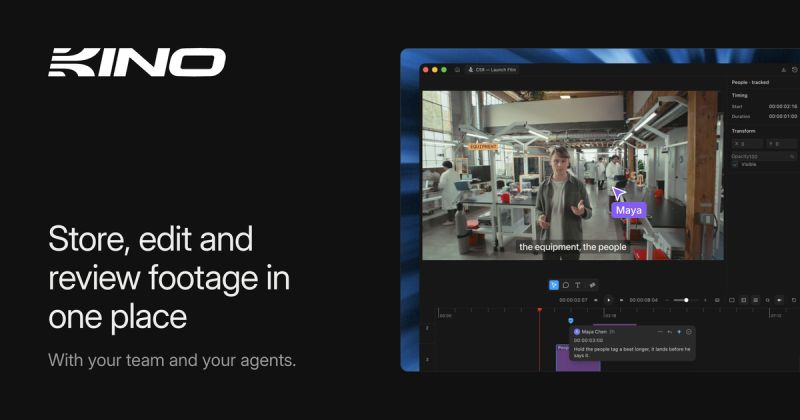
Kino is an AI video editor for teams and AI agents, where footage, edits and review notes are kept in one place.
You ask for the cut and Kino's agent reads your footage, makes the edit and leaves every clip on the timeline so you can adjust it yourself. Every creative decision is exposed to both you and the agent.
Key features include an AI editing agent, motion graphics and animation built on Remotion, a what-you-see-is-what-you-get editor for fine tweaks, more than 100 templates for titles, maps, captions and transitions, and the ability to manage many variants of a video.
Kino also acts as a footage library. Every clip is transcribed, described shot by shot and searchable by what is said and what is on screen, and you can filter by codec, camera, lens and shoot day. Saved filters become smart bins that fill as footage arrives. It handles professional formats such as RED, Blackmagic RAW and MXF.
For review, you send a link and comments land on the timeline, where the agent can respond to them. Cloud proxy storage lets collaborators stream footage when original files are not available.
It works with your own agents through an MCP server, including Claude Code and ChatGPT, and is available as a macOS download.
Pricing: a Free plan includes 100 MCP tool calls a week, unlimited imports and exports, AI editing with your own agents and unlimited viewers. Editor costs US$25 per editor per month (US$20 billed yearly) with unlimited MCP calls and real-time collaboration. Editor Plus costs US$200 per editor per month and adds agent and Seedance credits, extra storage and priority Slack support.
It is suited to video teams, agencies and creators who want an agent-assisted editing, storage and review workflow.
By the PowerfulAI.tools Editorial Team · Updated 11 November 2026 · Researched with AI assistance and checked against the official Kino website · How we review tools
Kino has a free plan and paid Pro, Editor and Editor Plus plans. Check the official pricing page for current prices.
Pricing checked against the official Kino website in November 2026. Prices can change, so confirm before you buy.
Video editors and production teams who want to store, search, edit and review footage with AI agents on a shared timeline.
Kino offers desktop downloads for macOS, Windows and Ubuntu Linux, and clips stream from Kino so projects open the same on any machine.
Yes. The pricing page lists Free, Pro, Editor and Editor Plus plans, with MCP calls on Free resetting weekly and chat and indexing monthly.
Popular alternatives to Kino include Descript, Quso.ai and ClipMaker. Compare their pricing and what each is best for below.
| Tool | Pricing | Best for |
|---|---|---|
| Descript | Freemium | Podcasters, YouTubers and marketing teams who record, edit, caption and repurpose video and audio through a transcript-b... |
| Quso.ai | Freemium | Podcasters, YouTubers and marketers who repurpose long recordings into a steady stream of short social clips. |
| ClipMaker | Freemium | YouTubers who want to repurpose long videos as short clips for TikTok and Instagram on a schedule. |
| Gling | Freemium | YouTubers and talking-head creators who want a rough cut done automatically before finishing in their usual editor. |
| Minvo | Free | Podcasters and video creators who repurpose long recordings into short clips, quote images and written posts. |
Own Kino? Add this badge to your website.

Leave a review for the community
No Review Found