Free Trial
Added on Nov 06,2026

Kumoo is an AI-powered batch photo retouching software for high-volume photographers and studios. It covers the workflow after the shoot, from tethering and culling to retouching and delivery.
Its workflow runs from Auto Select to colour grading, portrait retouching, backdrop touch-up and applying edits in batch. AI sorts the first pass of images so you can review the best shots faster while keeping control of the final choice.
For colour, you can start with a preset or reference images, and Kumoo reads the light, exposure and colour of each image to keep the whole gallery consistent. It also supports tethered shooting.
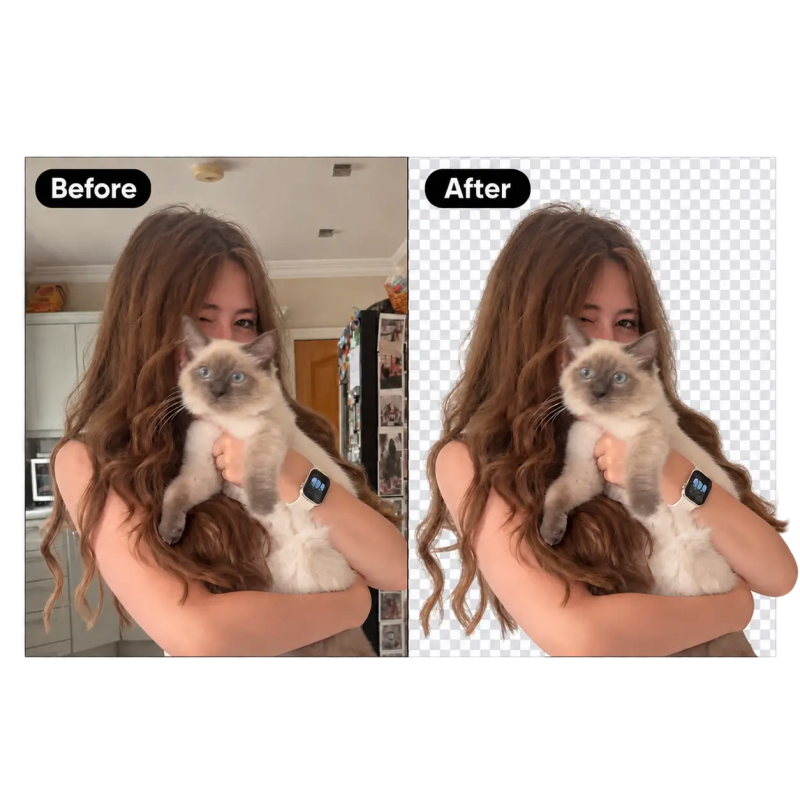
Key features include portrait retouching that reduces glasses glare, removes blemishes and fixes tooth imperfections, backdrop clean-up and natural body refinements, outdoor edits that remove distractions, correct colour or replace the sky, and lighting tools that match exposure and white balance across a set.
Edits can be saved as presets and applied across large batches. Kumoo is available as a desktop app for Mac and Windows, with iPad support and online tools.
Pricing: Kumoo Desktop is sold by subscription, with Starter at US 3.99 dollars a month for 30 image credits, Pro at US 24.99 dollars a year for 600 image credits and Studio at US 129.99 dollars a year for 3,600 image credits. Pay-as-you-go credits and coins are also available, and high-volume teams can contact sales for tailored pricing. Features can be tried for free, but a plan is needed to download edited photos.
It is suited to portrait, event and school photographers, studios and photography businesses that need to retouch and deliver large galleries quickly.
By the PowerfulAI.tools Editorial Team · Updated 6 November 2026 · Researched with AI assistance and checked against the official Kumoo website · How we review tools
Kumoo is a paid tool. Check Kumoo's website for current plans and prices.
Wedding, portrait, e-commerce and ID photo studios that need to cull, retouch and deliver large batches of images quickly.
Kumoo is developed by Meitu, and the site footer credits Xiamen Meitu Technology Co., Ltd.
There are desktop downloads for macOS and Windows (version 8.4.0 when checked) and an iPad app. Some tools, such as background removal and the image enhancer, also run online.
Popular alternatives to Kumoo include Magic Studio, Old Photo AI and Retouch4me. Compare their pricing and what each is best for below.
| Tool | Pricing | Best for |
|---|---|---|
| Magic Studio | Freemium | Professionals and small teams who need quick AI headshots for LinkedIn or company websites, plus simple photo clean-up l... |
| Old Photo AI | Freemium | Families and genealogy hobbyists who want to bring old portrait photos to life as short animated clips. |
| Retouch4me | Freemium | Portrait, wedding and studio photographers who retouch large batches of skin and portrait shots and want it done inside... |
| Face Swap by Remaker | Free | People making light-hearted or creative photo edits, such as swapping faces in group shots to fix a blinking eye. |
| PFPMaker | Freemium | People who need a fresh profile picture for LinkedIn, dating or social accounts and want to build it from an existing se... |
Own Kumoo? Add this badge to your website.

Leave a review for the community
No Review Found