Freemium
Added on Nov 06,2026
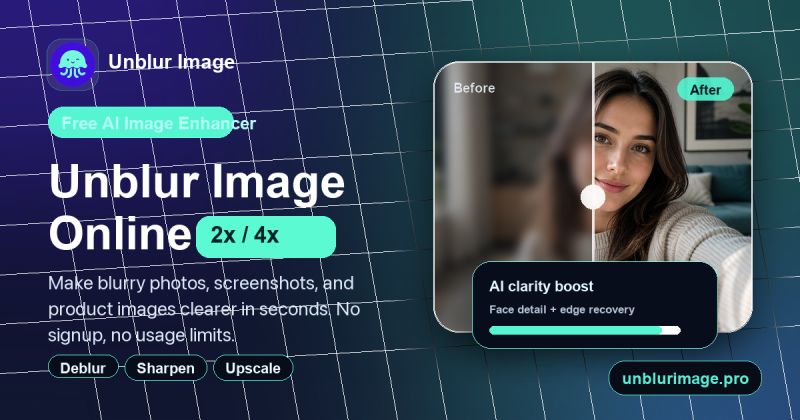
Unblur Image is an AI-powered online photo tool that makes blurry images clearer. You upload a blurry photo and the AI sharpens it in seconds, improving soft details, recovering faces and upscaling low-resolution images.
The basic unblur mode is free to use in the browser with no sign-up and no usage limits. It accepts JPG, PNG and WebP files and shows a side-by-side comparison of the original and the unblurred result.
Key features include one-click deblurring for motion blur, lens blur and soft focus, face recovery and portrait sharpening for selfies, profile photos and group shots, and noise reduction that cuts grain, compression artefacts and scan noise while keeping the main subject intact.
It can also make blurry text easier to read, working on screenshots, scanned documents and photos of whiteboards without the need for desktop editing software.
Signed-in users on supported devices can enlarge small images by 2x at no credit cost, and large images are adapted to the device's processing limits.
For cloud enhancement there are three modes, Standard, High Fidelity and Strong Restore, with output at 1K, 2K or 4K. Each image uses a set number of credits depending on the mode and size, and the exact cost is shown before you start.
Pricing: the browser unblur tool is free. Optional one-time credit packs for cloud enhancement start at USD 4.99 for 120 credits and go up to USD 49.99 for 2,800 credits. Credits never expire and there is no subscription or auto-renewal.
It is suited to anyone who needs to fix blurry photos quickly, including people restoring personal pictures, sharpening portraits, cleaning up scans or making text in images readable.
By the PowerfulAI.tools Editorial Team · Updated 6 November 2026 · Researched with AI assistance and checked against the official Unblur Image website · How we review tools
Basic unblurring is free with no sign-up. Cloud enhancement uses one-time credit packs from 4.99 USD for 120 credits to 49.99 USD for 2,800 credits, and purchased credits never expire.
Pricing checked against the official Unblur Image website in November 2026. Prices can change, so confirm before you buy.
Online sellers, content creators and family archivists who need to sharpen blurry product shots, portraits, screenshots or old photos in a browser.
No. Downloads carry no watermark, and you can use results commercially as long as you hold the rights to the original image.
Standard mode costs 2 to 4 credits depending on 1K, 2K or 4K output, High Fidelity 10 to 12 credits and Strong Restore 12 to 24 credits.
English, Simplified Chinese, German, French and Spanish.
Popular alternatives to Unblur Image include Magic Studio, Old Photo AI and Retouch4me. Compare their pricing and what each is best for below.
| Tool | Pricing | Best for |
|---|---|---|
| Magic Studio | Freemium | Professionals and small teams who need quick AI headshots for LinkedIn or company websites, plus simple photo clean-up l... |
| Old Photo AI | Freemium | Families and genealogy hobbyists who want to bring old portrait photos to life as short animated clips. |
| Retouch4me | Freemium | Portrait, wedding and studio photographers who retouch large batches of skin and portrait shots and want it done inside... |
| Face Swap by Remaker | Free | People making light-hearted or creative photo edits, such as swapping faces in group shots to fix a blinking eye. |
| PFPMaker | Freemium | People who need a fresh profile picture for LinkedIn, dating or social accounts and want to build it from an existing se... |
Own Unblur Image? Add this badge to your website.

Leave a review for the community
No Review Found