Freemium
Added on Nov 13,2026
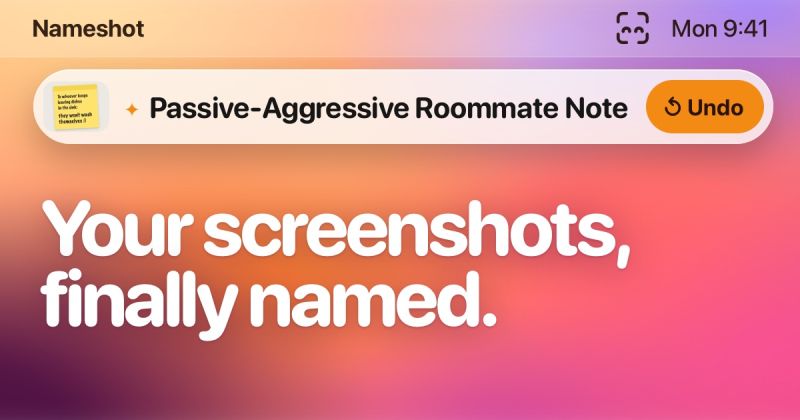
Nameshot is an AI-powered Mac app that automatically renames your screenshots with descriptive names. Instead of files called Screenshot followed by a date and time, you get names such as Dentist Appointment, Iceland Packing List or Harbor Street Coffee Order.
You take screenshots the usual way with Shift Command 3, 4 or 5, and Nameshot reads each new image and gives it a proper name using Apple's on-device model. Names are best with Apple Intelligence turned on; without it, names are drawn from the text in each screenshot.
Privacy is a core part of the app. Files never leave your Mac, it works with Wi-Fi off, and there is no account, no analytics, no models to download, no API keys and no screen recording or accessibility permissions. You simply pick your screenshots folder.
Key features include Tidy Up, which renames an entire folder such as your Desktop in one go, drag and drop renaming for images or whole folders, and one-click undo for every rename. Nameshot also learns from your corrections and adapts to your naming style over time.
In Settings you can choose Short, Standard or Detailed names, add the source app's name, and with Pro include the date. You can also swap the app's animated face for a plainer scan line look.
Pricing: Nameshot Pro is a one-time purchase at a launch price of 4.99 USD (normally 9.99 USD), with no subscription and Family Sharing included. Pro can be tried free for 7 days, and without Pro you can still drag files onto the app to rename them, with other features remaining free.
It requires a Mac with Apple silicon and macOS 27, and is available from the Mac App Store.
It is suited to Mac users who take lots of screenshots, designers, developers, researchers and anyone who wants a tidy, searchable screenshot folder without sending files to the cloud.
Popular alternatives to Nameshot include Voilà, Hiding AI and Loopa. Compare their pricing and what each is best for below.
| Tool | Pricing | Best for |
|---|---|---|
| Voilà | Freemium | Professionals who read and write a lot online and want an AI assistant for email, summaries and rewrites inside the brow... |
| Hiding AI | Free Trial | Job seekers and remote workers who want discreet AI notes, transcripts and answers on their desktop during video calls. |
| Loopa | Freemium | Busy professionals and founders who want to hand everyday tasks to AI agents from one place. |
| SaveDay | Freemium | Researchers, students and heavy readers who save lots of articles and videos and want to find them later by describing w... |
| Flowith | Freemium | Creators and knowledge workers who prefer a visual canvas over a linear chat for working with several AI models. |
Own Nameshot? Add this badge to your website.

Leave a review for the community
No Review Found