Free Trial
Added on Feb 06,2026
Clipto AI is an AI-powered digital asset management platform designed to help individuals and teams organize, edit, and retrieve media files more efficiently.
It provides a private and secure environment for managing digital assets while using AI to automate tasks such as transcription and content indexing.
The platform combines media organization with AI transcription and advanced video editing tools, making it easier to work with audio and video content at scale. By simplifying how digital assets are stored, searched, and reused, Clipto AI helps users improve productivity and unlock creative workflows without losing control over their data.
Use Cases:
Digital Asset Organization: Teams can store and manage videos, audio files, and other media assets in a structured, searchable system.
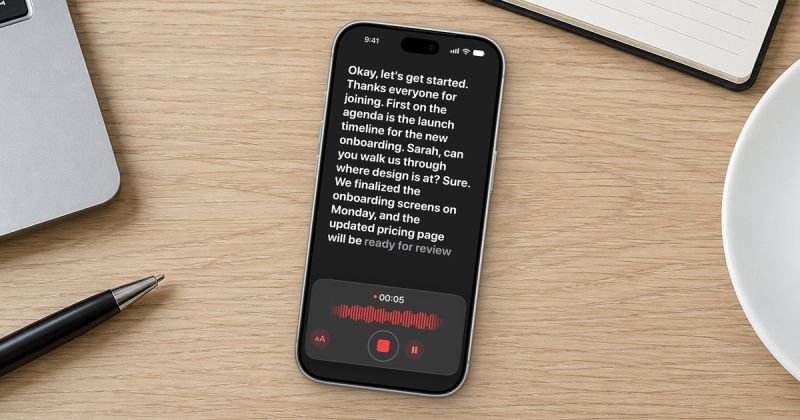
AI Transcription for Media Content: Users can automatically generate transcripts from audio and video files, making content easier to search, review, and repurpose.
Video Editing and Content Refinement: Creators can use built-in video editing tools to trim, adjust, and prepare media assets without switching platforms.
Secure Media Management: Organizations can manage sensitive digital assets in a private and secure environment without relying on public cloud tools.
Creative and Production Workflows: Content teams can streamline media handling, retrieval, and editing to reduce friction across creative projects.
By the PowerfulAI.tools Editorial Team · Updated 25 October 2026 · Researched with AI assistance and checked against the official Clipto AI website · How we review tools
Clipto Pro starts with a 7-day free trial, then costs $24.99 per month ($9.99 for the first month for new customers) or $12.49 per month billed yearly.
Pricing checked against the official Clipto AI website in October 2026. Prices can change, so confirm before you buy.
Creators, students and teams who need searchable transcripts, subtitles and summaries of meetings, lectures, podcasts or YouTube videos.
Yes. With the Record feature, transcription continues automatically after you start recording and leave the page.
AI Chat lets you ask questions and find key moments in a recording without reading the full transcript.
Popular alternatives to Clipto AI include Easymeety.ai, Voice to Text and Otter.ai. Compare their pricing and what each is best for below.
| Tool | Pricing | Best for |
|---|---|---|
| Easymeety.ai | Free | Sales reps, managers, researchers and students who record calls, standups, interviews or lectures on iPhone and want ins... |
| Voice to Text | Free | Students, writers and office workers who would rather dictate drafts than type them, in English or another supported lan... |
| Otter.ai | Freemium | Teams and professionals who want meetings transcribed and summarised with action items captured automatically. |
| RecCloud | Paid | Video creators and language learners who need transcripts, subtitles and translated voiceovers for web video. |
| Free Subtitles AI | Freemium | Video creators and editors who need time-stamped subtitles and translations for their footage without typing them out. |
Own Clipto AI? Add this badge to your website.

Leave a review for the community
No Review Found





Already a member? The same buttons sign you in.
We'll email you a 6-digit code. No password needed. By continuing you agree to our Privacy Policy.
We sent a 6-digit code to . It expires in 10 minutes.
No email? Check your spam folder, or ·

