Free Trial
Added on Nov 20,2026
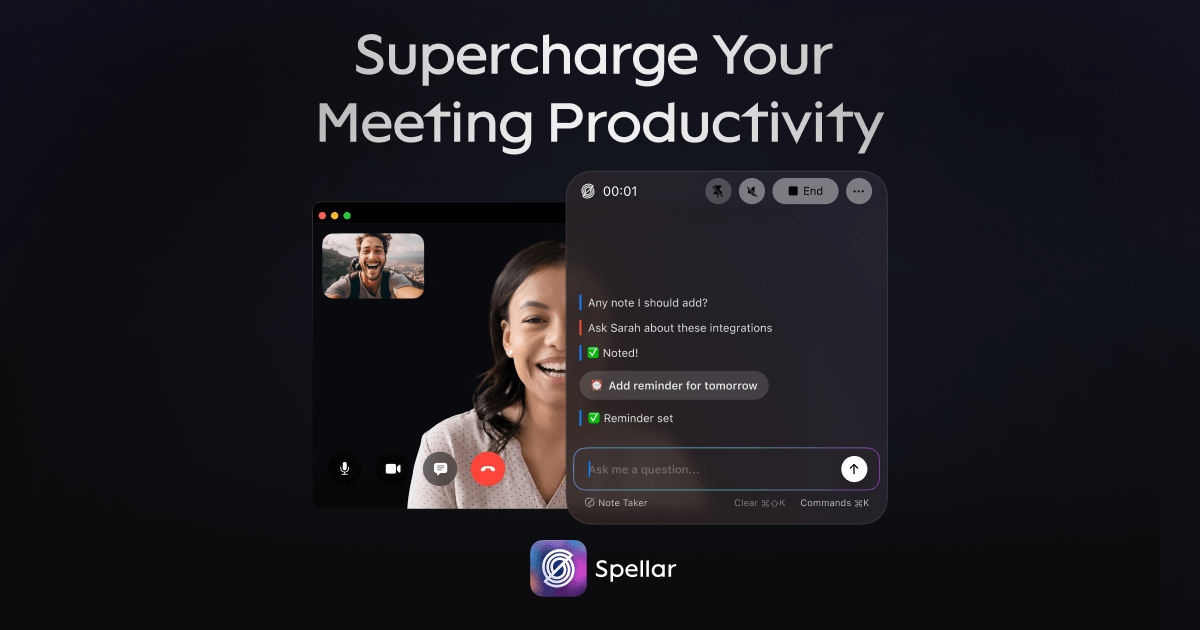
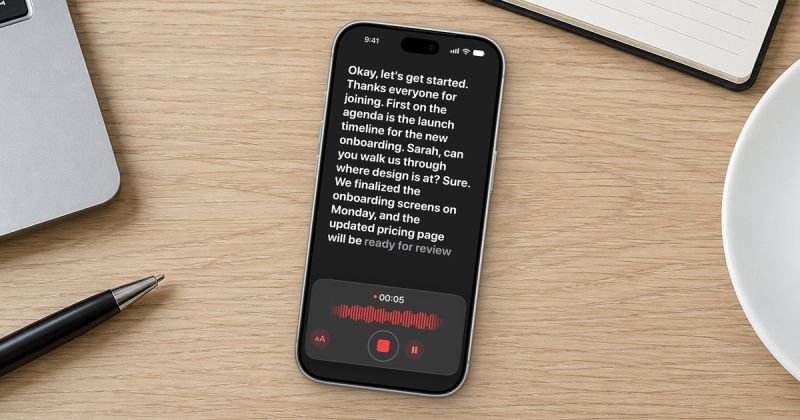
Spellar is an AI meeting notes app that records locally, so no bot joins your call. It produces AI summaries, action items and chat, and is available on Mac, iPhone, iPad and now as a Chrome extension.
It captures audio from Zoom, Google Meet, Microsoft Teams or any audio in the room with one shortcut. Users choose what gets stored and for how long, with retention from 1 day to 90 days or local-only storage in the Mac app.
Server-side transcription is opt-in rather than the default. Transcription can run on-device, and it supports 45 languages.
GPT and Claude models are included, and users can bring their own key for Gemini, Perplexity or OpenRouter, switching models per meeting, template or question.
Key features include more than 30 meeting templates for standups, 1:1s, retros, sales calls and interviews, custom templates written in plain language, a live copilot during meetings, cited chat across all meetings, and weekly and monthly digests that track commitments.
It integrates with Notion, Linear, Slack, Jira, Google Docs, ClickUp and Asana through native connectors, plus webhooks for Zapier, two-way task sync with Linear and Jira, and a calendar connector.
Pricing: new users get 300 free minutes of transcription and summaries with no card needed. Spellar Pro is $20 per month, or from $15 per month billed yearly. Spellar Teams is $20 per seat per month from 5 seats. A 14-day money-back guarantee applies.
It is suited to professionals and teams who spend much of their day in meetings and want private, bot-free notes.
By the PowerfulAI.tools Editorial Team · Updated 21 November 2026 · Researched with AI assistance and checked against the official Spellar website · How we review tools
Free trial includes 300 minutes of transcription and AI summaries with no card; Spellar Pro costs $20.00/month billed monthly, with yearly billing saving 25%.
Pricing checked against the official Spellar website in November 2026. Prices can change, so confirm before you buy.
Professionals who spend their day in meetings and want private AI notes, summaries and action items without a bot in the call.
No. Spellar says your data is never used to train AI models, audio is encrypted in storage, and retention can be set from one day to 90 days or local-only in the Mac app.
Yes. Because it records your device's audio, it works with any video tool and with in-person meetings recorded on your iPhone.
Spellar Teams starts at 5 seats with pricing on request, adding shared notes and templates, centralised billing and your own S3-compatible audio storage.
Popular alternatives to Spellar include Easymeety.ai, Voice to Text and Otter.ai. Compare their pricing and what each is best for below.
| Tool | Pricing | Best for |
|---|---|---|
| Easymeety.ai | Free | Sales reps, managers, researchers and students who record calls, standups, interviews or lectures on iPhone and want ins... |
| Voice to Text | Free | Students, writers and office workers who would rather dictate drafts than type them, in English or another supported lan... |
| Otter.ai | Freemium | Teams and professionals who want meetings transcribed and summarised with action items captured automatically. |
| RecCloud | Paid | Video creators and language learners who need transcripts, subtitles and translated voiceovers for web video. |
| Free Subtitles AI | Freemium | Video creators and editors who need time-stamped subtitles and translations for their footage without typing them out. |
Own Spellar? Add this badge to your website.

Leave a review for the community
No Review Found






Already a member? The same buttons sign you in.
We'll email you a 6-digit code. No password needed. By continuing you agree to our Privacy Policy.
We sent a 6-digit code to . It expires in 10 minutes.
No email? Check your spam folder, or ·

