Free
Added on Oct 28,2023
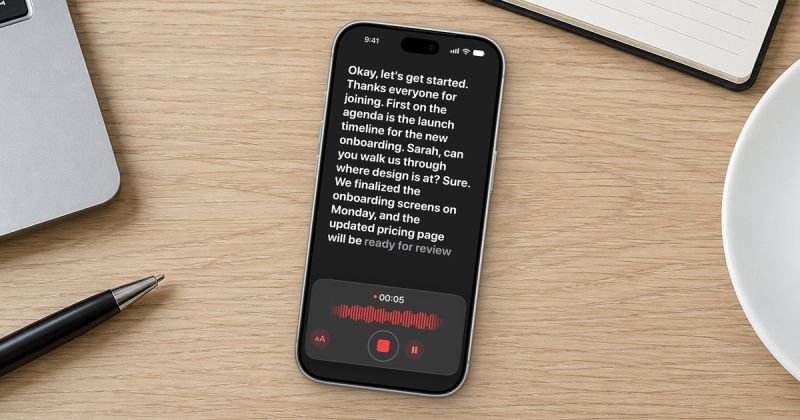
Dictation is a cutting-edge speech-to-text tool that seamlessly converts spoken words into written text with unparalleled accuracy and real-time transcription capabilities. Whether you're a busy professional, a content creator, or someone looking to simplify text input, Dictation empowers you to effortlessly translate your voice into written words.
With the added convenience of voice commands, you can insert paragraphs, punctuations, and even expressive smileys into your text, making your content creation process not only efficient but also engaging. Say goodbye to the hassle of manual typing and embrace the future of effortless communication with Dictation.
Use Cases:
Content Creation: Dictation is an invaluable asset for content creators, writers, and bloggers. Quickly and accurately transcribe your spoken ideas and thoughts into written articles or blog posts. Use voice commands to add paragraphs and punctuation, ensuring a polished and well-structured piece.
Note Taking: During meetings, lectures, or brainstorming sessions, Dictation allows you to capture spoken content efficiently. Simply dictate notes and instantly insert bullet points, paragraphs, or headings as needed.
Accessibility: Dictation serves as an essential tool for individuals with disabilities, enabling them to interact with computers and mobile devices without the need for physical typing. This tool enhances accessibility for people with motor impairments or those who prefer voice-based input.
Email and Messaging: Save time composing emails and messages by speaking your content directly. Add smileys and punctuation using voice commands to convey tone and emotion, making your communication more engaging.
Content Localization: For multilingual content creators, Dictation aids in translating and transcribing content across languages. You can switch languages and dialects easily to create content that appeals to a global audience.
Hands-Free Operation: Whether you're in the kitchen following a recipe, working in a workshop, or driving, Dictation allows you to take notes, jot down ideas, or send messages without needing to touch a keyboard. It's the ultimate hands-free tool for staying productive on the go.
By the PowerfulAI.tools Editorial Team · Updated 20 October 2026 · Researched with AI assistance and checked against the official Dictation website · How we review tools
Dictation is listed as free to use. Check Dictation's website for any usage limits or paid upgrades.
Writers, students and office workers who want to dictate emails and documents in the browser instead of typing.
You can say phrases such as 'New line' to move the cursor to the next line, or 'Smiling Face' to insert a :-) smiley, and the site publishes a full list of commands.
Dictation is made in India by Digital Inspiration, which also lists a contact address and a support page on the site.
Popular alternatives to Dictation include Easymeety.ai, Voice to Text and Otter.ai. Compare their pricing and what each is best for below.
| Tool | Pricing | Best for |
|---|---|---|
| Easymeety.ai | Free | Sales reps, managers, researchers and students who record calls, standups, interviews or lectures on iPhone and want ins... |
| Voice to Text | Free | Students, writers and office workers who would rather dictate drafts than type them, in English or another supported lan... |
| Otter.ai | Freemium | Teams and professionals who want meetings transcribed and summarised with action items captured automatically. |
| RecCloud | Paid | Video creators and language learners who need transcripts, subtitles and translated voiceovers for web video. |
| Free Subtitles AI | Freemium | Video creators and editors who need time-stamped subtitles and translations for their footage without typing them out. |
Own Dictation? Add this badge to your website.

Leave a review for the community
No Review Found




Already a member? The same buttons sign you in.
We'll email you a 6-digit code. No password needed. By continuing you agree to our Privacy Policy.
We sent a 6-digit code to . It expires in 10 minutes.
No email? Check your spam folder, or ·

