Freemium
Added on Oct 20,2025
TwinMind is an AI-powered productivity assistant that understands context across browser tabs to enhance workflow and communication.
It allows users to interact directly with data from active tabs—whether on websites, YouTube videos, or PDFs—by asking contextual questions.
The tool also includes a smart text generator for crafting messages, reports, and emails, plus real-time conversational suggestions to help users respond effectively during discussions.
Its transcription feature works without third-party bots, ensuring privacy through on-the-fly audio processing and end-to-end encryption.
TwinMind integrates seamlessly with major platforms like Google Workspace, LinkedIn, Slack, Twitter, Zoom, and more, and offers both free and Pro plans.
Use Cases:
Contextual Assistance: Ask AI questions about open tabs or video content.
Smart Writing: Generate reports, messages, or emails instantly.
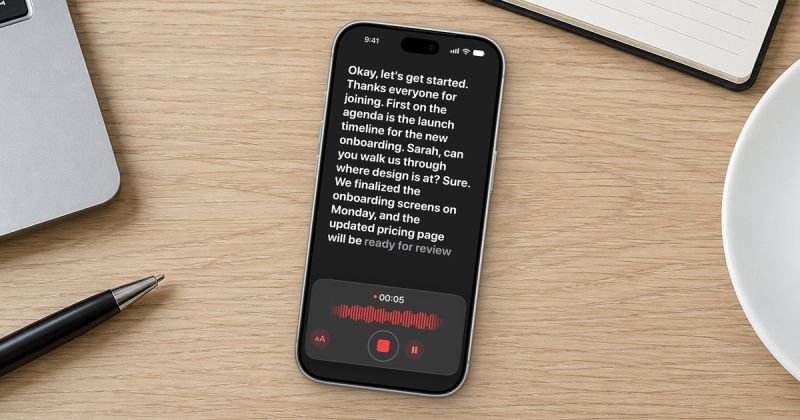
Meeting Transcription: Capture and summarize conversations securely.
Real-Time Guidance: Receive intelligent response suggestions during discussions.
Cross-Platform Productivity: Use seamlessly across popular work and social platforms.
By the PowerfulAI.tools Editorial Team · Updated 20 October 2026 · Researched with AI assistance and checked against the official TwinMind website · How we review tools
Free plan includes unlimited summaries and AI chats; Pro costs $11.99 per month and Max costs $29.99 per month, with a 7-day free trial on Max.
Pricing checked against the official TwinMind website in October 2026. Prices can change, so confirm before you buy.
Professionals and students who want an always-available AI note taker that records meetings and conversations and turns them into summaries, to-dos and draft emails.
By default audio is deleted after transcription and only transcripts are saved, unless you opt in to keep audio. TwinMind says data is never sold or used to train AI models.
Popular alternatives to TwinMind include Easymeety.ai, Voice to Text and Otter.ai. Compare their pricing and what each is best for below.
| Tool | Pricing | Best for |
|---|---|---|
| Easymeety.ai | Free | Sales reps, managers, researchers and students who record calls, standups, interviews or lectures on iPhone and want ins... |
| Voice to Text | Free | Students, writers and office workers who would rather dictate drafts than type them, in English or another supported lan... |
| Otter.ai | Freemium | Teams and professionals who want meetings transcribed and summarised with action items captured automatically. |
| RecCloud | Paid | Video creators and language learners who need transcripts, subtitles and translated voiceovers for web video. |
| Free Subtitles AI | Freemium | Video creators and editors who need time-stamped subtitles and translations for their footage without typing them out. |
Own TwinMind? Add this badge to your website.

Leave a review for the community
No Review Found



Already a member? The same buttons sign you in.
We'll email you a 6-digit code. No password needed. By continuing you agree to our Privacy Policy.
We sent a 6-digit code to . It expires in 10 minutes.
No email? Check your spam folder, or ·

