
Free Trial
Added on Mar 28,2026

Video Notes is an AI-powered web application that transforms YouTube videos into structured, searchable notes. It generates timestamped summaries, full transcripts, and key takeaways, allowing users to quickly understand and navigate video content.
The platform includes an AI chat assistant that can answer questions about the video, along with powerful search capabilities to explore a personal library of processed content.
With support for multiple languages and section-wise summaries linked to clickable timestamps, Video Notes delivers a comprehensive and interactive way to analyze and learn from video material.
Use Cases
YouTube Video Summarization: Convert long videos into concise summaries with key insights and takeaways.
Timestamped Navigation: Access specific sections of a video through clickable timestamps for quick reference.
AI-Powered Q&A: Ask questions about the video content and receive instant, context-aware answers.
Full Video Transcription: Generate accurate transcripts for easier reading, studying, or content reuse.
Content Research: Analyze tools, techniques, and insights mentioned in videos for deeper understanding.
Searchable Video Library: Store and search processed videos to quickly find relevant information.
Multilingual Support: Process videos in different languages supported by YouTube for global accessibility.
Learning and Education: Helps students and professionals grasp complex topics without rewatching entire videos.
Content Repurposing: Use transcripts and summaries to create blogs, posts, or other content formats.
Productivity Boost: Saves time by extracting and organizing valuable information from video content efficiently.
By the PowerfulAI.tools Editorial Team · Updated 22 October 2026 · Researched with AI assistance and checked against the official Video Notes website · How we review tools
Free 30-day trial with 10 video extractions and no credit card; Standard costs $7/mo billed as $84/year with unlimited extractions. Pro at $18/mo is listed as coming soon.
Pricing checked against the official Video Notes website in October 2026. Prices can change, so confirm before you buy.
Students, researchers and professionals who learn from long YouTube videos and want searchable notes instead of rewatching.
Yes. Where a YouTube video has transcripts in several languages, Video Notes extracts all of them and lets you choose which one to read and search.
The site says most videos are processed in under 60 seconds, including videos over three hours long.
Popular alternatives to Video Notes include Easymeety.ai, Voice to Text and Otter.ai. Compare their pricing and what each is best for below.
| Tool | Pricing | Best for |
|---|---|---|
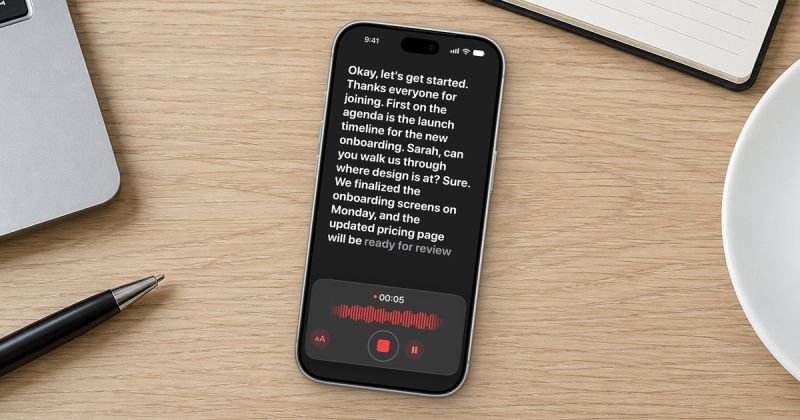
| Easymeety.ai | Free | Sales reps, managers, researchers and students who record calls, standups, interviews or lectures on iPhone and want ins... |
| Voice to Text | Free | Students, writers and office workers who would rather dictate drafts than type them, in English or another supported lan... |
| Otter.ai | Freemium | Teams and professionals who want meetings transcribed and summarised with action items captured automatically. |
| RecCloud | Paid | Video creators and language learners who need transcripts, subtitles and translated voiceovers for web video. |
| Free Subtitles AI | Freemium | Video creators and editors who need time-stamped subtitles and translations for their footage without typing them out. |
Own Video Notes? Add this badge to your website.

Leave a review for the community
No Review Found











Already a member? The same buttons sign you in.
We'll email you a 6-digit code. No password needed. By continuing you agree to our Privacy Policy.
We sent a 6-digit code to . It expires in 10 minutes.
No email? Check your spam folder, or ·

