Freemium
Added on Nov 01,2026
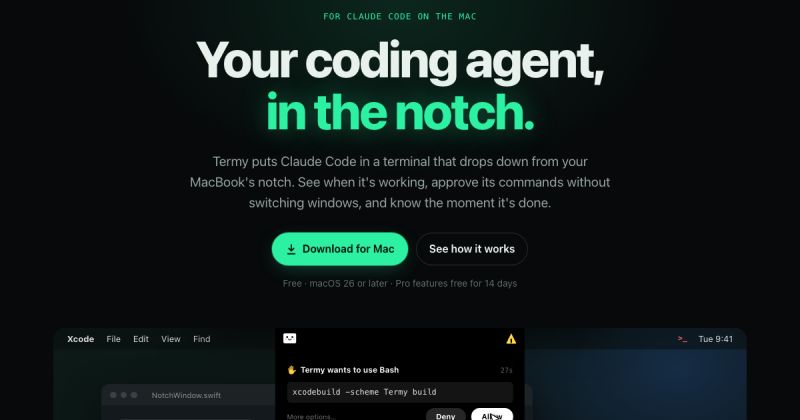
Termy is a Mac app that puts the Claude Code and Codex AI coding agents in a terminal that drops down from the MacBook notch.
Hovering over the notch, clicking the menu bar icon or pressing a shortcut opens the terminal panel. Termy opens a tab for every project open in Xcode, VS Code or Cursor, and each tab starts the coding agent in the right project folder.
It reads the agents' own hook events to show exact status: a spinner while working, a warning when input is needed and a checkmark when done. When an agent wants to run a command, the notch shows it with Allow and Deny buttons, and users can reply to notifications to give the next instruction.
Key features include session resume after restarts or crashes, a menu bar card showing Claude sessions running elsewhere, voice dictation, calm themes, search across past prompts, clickable file links and manual checkpoints that restore files to an earlier state. It also runs Codex CLI and Gemini CLI.
Pro features include unlimited sessions and split view, auto-checkpoints with a checkpoint browser, usage insights, worktrees, Agent Office, the Termy Browser for local servers, and on-device Whisper dictation.
Pricing: the free version supports one running session. Pro is a one-time purchase of $4.99, with Pro features free for 14 days. Termy requires macOS 26 or later.
It is suited to developers who use Claude Code or Codex on a MacBook and want to track and approve agent work without switching windows.
Similar tools to compare with Termy:
| Tool | Pricing | Best for |
|---|---|---|
| Llama Coder | Free | Developers and non-coders who want to prototype small web apps from a text description and then inspect or reuse the gen... |
| Codeium | Freemium | Software developers and engineering teams who want AI code completion in their editor plus one place to run, monitor and... |
| GitHub Copilot | Freemium | Developers and engineering teams who want AI completion, chat and background agents inside their editor and GitHub workf... |
| Screenshot to Code | Free | Front-end developers and designers who want a quick first-pass codebase from a screenshot or mockup. |
| ZCode | Paid | Developers who want AI agents built into their development workflow. |
Own Termy? Add this badge to your website.

Leave a review for the community
No Review Found